


Description
Download Movie Thumbnailer – video thumbnails, movie preview, FFmpeg, snapshot tool, video collage, thumbnail generator, video utility, content creation, video editing, media management, video preview tool
Overview
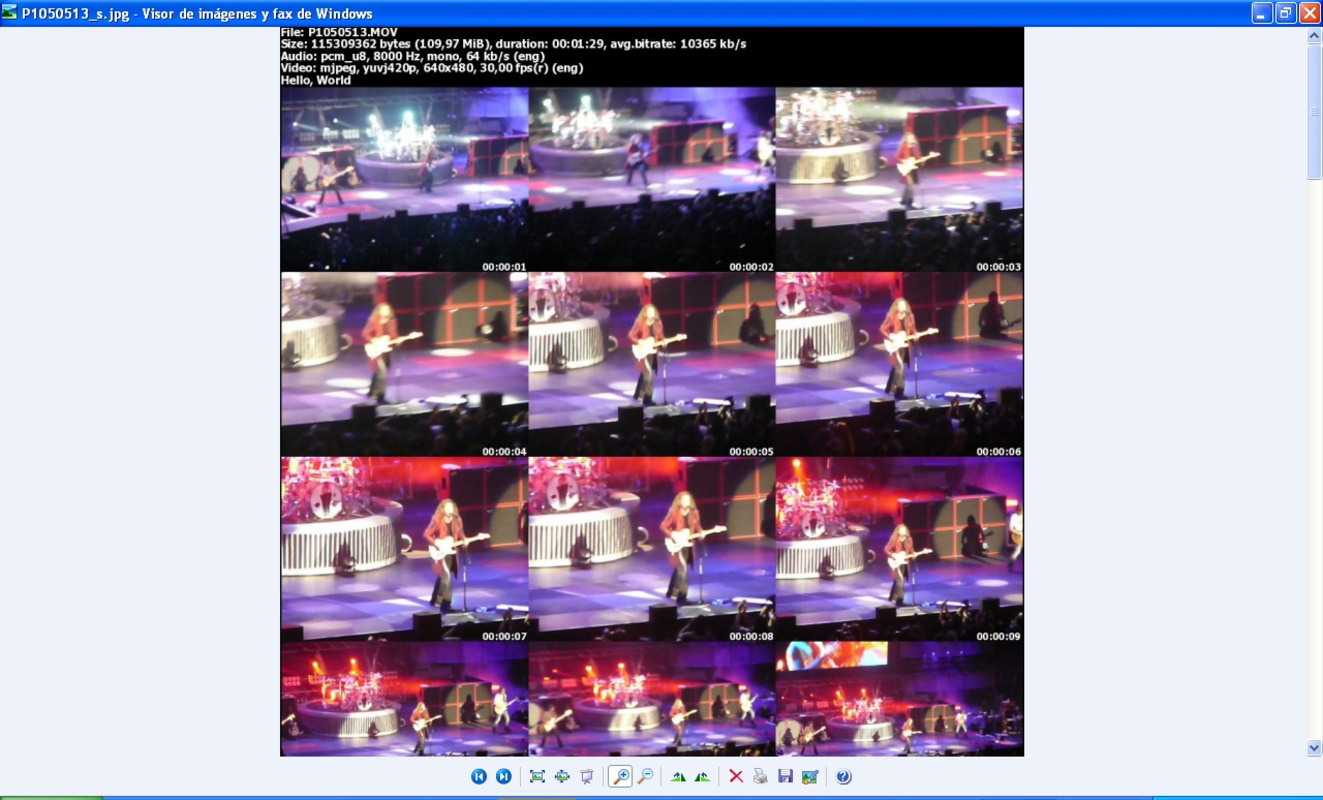
Movie Thumbnailer (MTN) is a specialized utility designed to simplify the creation of visual previews from video files through automated snapshot generation. Targeted primarily at website owners, content creators, and digital media managers, the app helps generate eye-catching thumbnails that can significantly improve viewer engagement on video-centric platforms. By leveraging the powerful FFmpeg codecs library, MTN ensures broad compatibility with nearly all video formats, making it a versatile tool for professionals and hobbyists alike. The application addresses a common challenge in content publishing: the need for high-quality, representative previews without requiring advanced video editing skills. Its ability to produce collage-style thumbnails from multiple time points within a video allows users to showcase dynamic content in a single image, ideal for video galleries, online portfolios, or streaming platforms. Although the developer did not provide additional technical details about the app’s origin or development history beyond the name and release date, its long-standing presence since 2009 suggests reliability and stability. The tool remains relevant in today’s content-driven ecosystem, where visual first impressions are critical. With a free price model and a lightweight footprint, Movie Thumbnailer offers a practical solution for users seeking efficient media management and content creation tools on Windows.
Key Features & Functionality
- Wide Format Support: Built on the FFmpeg codecs library, Movie Thumbnailer supports nearly all video formats, enabling seamless processing of files regardless of their source or encoding. This ensures users can generate thumbnails from diverse media without format conversion.
- Customizable Snapshot Layouts: Users can define the number of columns and rows in the final thumbnail collage, allowing for flexible arrangements that suit different display needs—whether for websites, social media, or personal archives.
- Adjustable Snapshot Timing: The app allows precise control over the time interval between snapshots, enabling users to capture key moments across a video’s timeline. This feature ensures that the most representative scenes are included in the preview.
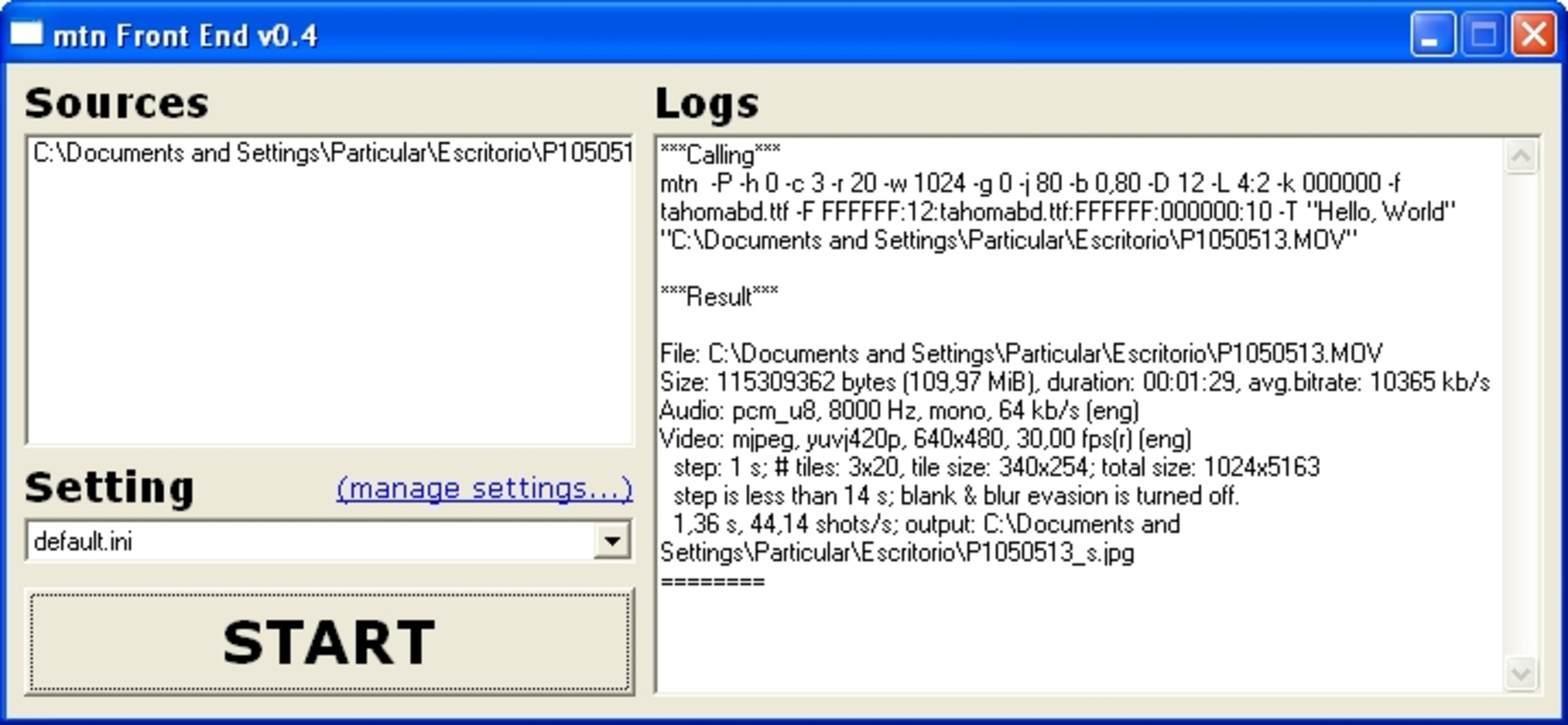
- Graphical User Interface (GUI): For users unfamiliar with command-line tools, the GUI version provides an accessible interface to configure settings and launch thumbnail generation with minimal technical knowledge.
- Simple Installation: The GUI version is distributed as a ZIP file. Installation involves extracting the files into a designated folder and launching the mtnFront0.44.exe executable, making setup quick and hassle-free.
For example, a video blogger might use Movie Thumbnailer to create a collage of 9 snapshots taken every 30 seconds from a 30-minute tutorial. This visual summary can then be used as a clickable preview on a blog or YouTube channel. Similarly, a content manager uploading videos to a website could generate consistent thumbnails across a library, improving user navigation and visual coherence.
Interface, UX & Performance
The user interface of Movie Thumbnailer’s GUI version is straightforward and functional, prioritizing accessibility over visual flair. The layout consists of input fields for video selection, timing settings, and layout preferences, arranged in a clean, linear fashion. Navigation is intuitive, with clear labels and minimal clutter, allowing users to configure settings without confusion. Although the developer did not list formal performance metrics, the app’s lightweight size of 4.5 MB suggests efficient resource usage. It is likely to run smoothly on a range of Windows devices, including older systems, without significant lag or memory overhead. Responsiveness is expected to be consistent, particularly during the thumbnail generation process, given the app’s reliance on FFmpeg, a well-optimized multimedia framework. Stability appears reliable, supported by the app’s long-standing presence since 2009. However, no information was provided about crash rates, background processing, or multi-threading capabilities. Users should expect a stable experience based on the app’s proven track record, though advanced users may find the interface limited in customization options. Overall, the UX is well-suited for its target audience: individuals who need a no-frills, reliable tool without the complexity of full video editing software.
Platform Compatibility & Technical Requirements
Movie Thumbnailer is available exclusively for the Windows platform. The current version is 0.44, with a file size of 4.5 MB. The developer did not specify minimum OS requirements, nor did they list compatibility with specific Windows versions such as Windows 10, 11, or earlier releases. As the app was first released in 2009, it may function on older systems, but compatibility with modern Windows environments cannot be confirmed without further details. No information was provided about required dependencies, such as the presence of FFmpeg on the system, though the app likely includes necessary components within its distribution. Users should ensure they have administrative privileges to extract and run the executable file. The absence of official system requirements means that installation and operation may vary depending on the user’s environment. For optimal results, it is recommended to run the app on a system with sufficient disk space and processing power to handle video decoding tasks.
Pros and Cons
Pros
- Free to download and use, making it accessible for budget-conscious users.
- Supports nearly all video formats through FFmpeg integration.
- Offers a GUI version for users unfamiliar with command-line tools.
- Lightweight size of 4.5 MB ensures quick download and minimal storage use.
- Simple installation process via ZIP extraction and direct execution.
- Allows customizable layout and timing for thumbnail collages.
Cons
- Platform is limited to Windows only; no support for macOS, Linux, or mobile devices.
- Specific system requirements were not listed, which may lead to compatibility uncertainty.
- No official update frequency or version history beyond the current release.
- Interface lacks modern design elements and may appear outdated to newer users.
- No cloud integration, batch processing, or automation features were mentioned.
FAQ
Is Movie Thumbnailer safe to download and install?
Yes, the app is free and available from its official source. As it is distributed as a ZIP file containing a single executable, there is no need for third-party installers. Users should ensure they download from trusted sources to avoid potential tampering.
Can I use Movie Thumbnailer on macOS or Linux?
Currently, the application is only available for Windows. The developer did not provide versions for macOS or Linux, so cross-platform use is not supported.
Do I need to install FFmpeg separately?
Based on the app’s design, it likely includes the necessary FFmpeg components within its package. No external installation of FFmpeg is required for standard use.
How often is Movie Thumbnailer updated?
The developer did not specify an update schedule. The current version is 0.44, released in 2009, and no newer versions have been announced.
Is there a mobile version of Movie Thumbnailer?
No mobile version is available. The app is designed for desktop use on Windows and does not support Android or iOS devices.
Final Thoughts
Movie Thumbnailer remains a practical and efficient tool for generating visual previews from video files, particularly for users focused on content creation, media management, and website optimization. Its integration with FFmpeg ensures broad format compatibility, while the GUI version lowers the barrier to entry for non-technical users. Despite its age and lack of modern features, the app delivers consistent performance and reliability, making it a dependable choice for those needing a simple thumbnail generator. The free price model and lightweight design further enhance its value. While it lacks advanced automation and cross-platform support, its core functionality is solid and purpose-built. For website owners, video bloggers, and digital content managers seeking a no-cost, effective way to create engaging video previews, Movie Thumbnailer offers a straightforward solution. Download Movie Thumbnailer now
Guides & Tutorials for Movie Thumbnailer
How to install Movie Thumbnailer
- Click the Preview / Download button above.
- Once redirected, accept the terms and click Install.
- Wait for the Movie Thumbnailer download to finish on your device.
How to use Movie Thumbnailer
This software is primarily used for its core features described above. Open the app after installation to explore its capabilities.
User Reviews for Movie Thumbnailer 0
No reviews found


